Blogs

What Is SAP Process Automation? SAP Build Process Automation

SAP Process Automation

SAP Process Automation, now called SAP Build Process Automation, is an SAP BTP service that lets business users automate workflows and tasks with low-code and no-code tools. It combines workflow management, robotic process automation (RPA) and decision management in one platform.

Companies want to cut manual work and speed up decisions. Many daily processes are specific to one company, so standard SAP automations do not cover them all. SAP Process Automation closes this gap. This guide explains what SAP Process Automation is, what it provides, who it suits, its advantages and its limits.

What Is SAP Process Automation?

SAP Process Automation is a citizen developer solution. It lets business users and technologists adapt, improve and innovate business processes without writing code. SAP renamed the product to SAP Build Process Automation and made it one of the services of SAP Build.

The service runs on SAP Business Technology Platform (SAP BTP). You use it to create process extensions on top of SAP and third-party applications. It orchestrates tasks and processes across your landscape, whether the systems run in the cloud or on-premises.

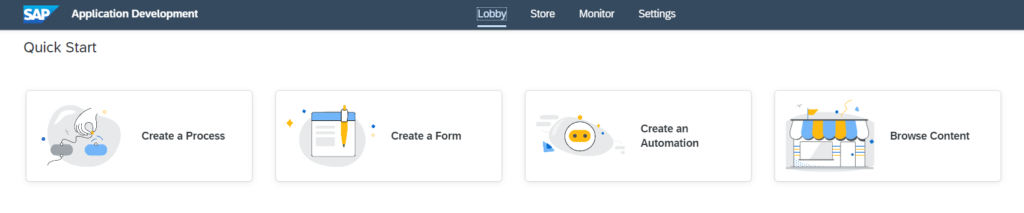
SAP Process Automation overview SAP Process Automation overview

What Does SAP Process Automation Provide?

SAP Process Automation lets teams manage and organize workflows and adjust them to customer requests. Its built-in tools deliver results faster without code. It also helps you create interactive forms and form-based workflows.

The solution combines workflow management, RPA, decision management and built-in AI in one no-code experience. The table below summarizes the main capabilities.

Capability
What it does
Example
Workflow management
Builds forms-based workflows with drag and drop
An approval process with a request form
Robotic process automation (RPA)
Automates repetitive tasks inside existing process flows
Copying data between two applications
Decision management
Manages business rules in spreadsheet-like decision tables
Approval limits by amount or department
Machine learning
Creates intelligent actions and recommendations
Suggesting a decision for an approval task
Launchpad and task center
Gives users one place for their apps and tasks
A manager processes pending approvals in one list

SAP also delivers prebuilt content, such as bots, process steps, business rules and workflow components. According to SAP PRESS, this includes more than 400 SAP-delivered process content packages. With these tools you can:

  • Automate repetitive tasks and manage complex processes.
  • Start processes from events that SAP or third-party applications send through the event mesh.
  • Process approval tasks faster with AI-based decision recommendations.
  • Track processes and their performance in real time.
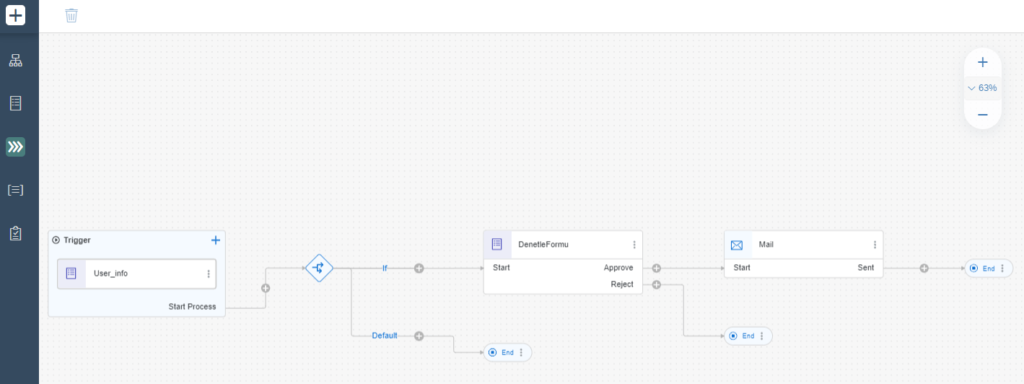
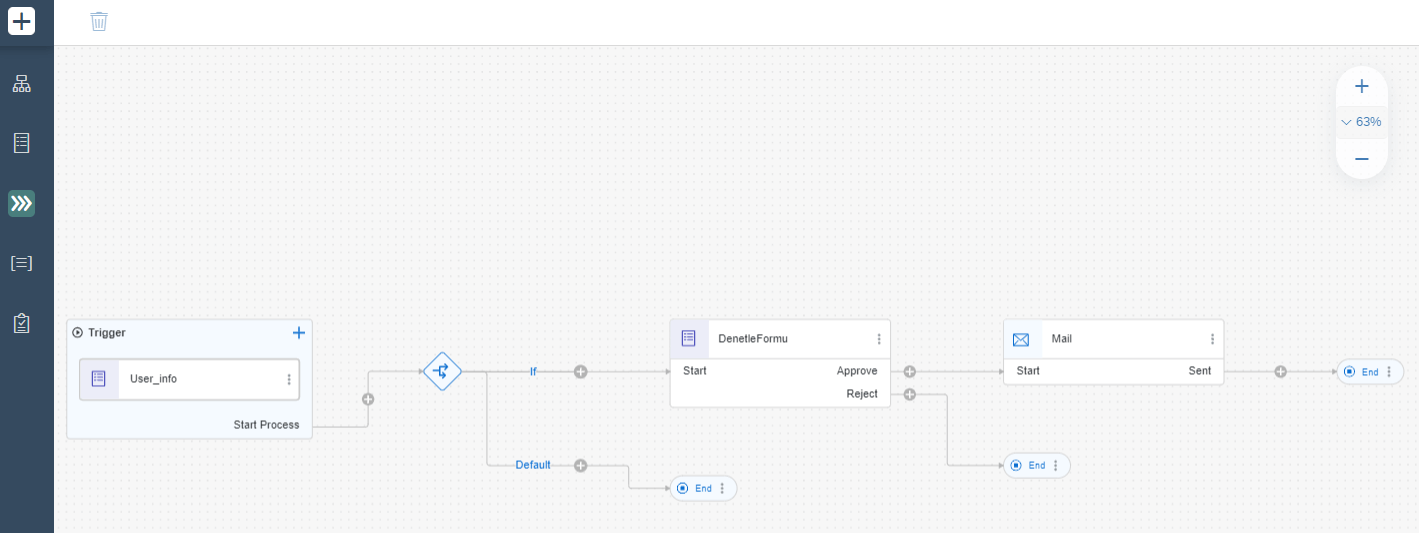
SAP Process Automation example workflow SAP Process Automation example workflow

Who Is SAP Process Automation Suitable For?

SAP Process Automation suits companies that want to increase business efficiency quickly with little or no code. Business users build forms and workflows themselves, and IT teams stay involved for integration and governance. Companies with wide form needs, such as registration or request systems, also benefit from the drag and drop form tools.

Common use cases include invoice processing, employee onboarding and purchase order approvals. Before you start, check whether standard SAP automations already cover the process. SAP cloud ERP includes many built-in automations, so you only need SAP Process Automation for customer-specific processes.

What Are the Advantages of SAP Process Automation?

SAP Process Automation supports the digital transformation of companies. It helps them automate business processes and use data to decide better. The main advantages are:

  • A working environment with minimal or no code.
  • Fast and reliable creation of workflows.
  • Form-based workflows with drag and drop functionality.
  • One unified launchpad and task center for users.
  • Easy access to the results and outputs of processes and forms.
  • Workflow management and task automation in a single tool.
  • Built-in AI capabilities for decision assistance and machine learning recommendations.

For more on the platform behind the service, read our article on the benefits of SAP BTP for business.

What Should You Consider Before You Start?

SAP Process Automation does not fit every situation. Keep these points in mind:

  • It runs on SAP BTP, so you need a subscription. SAP publishes pricing and usage details in its service catalog on the SAP Discovery Center.
  • Business users can build simple automations, but complex integrations still need IT involvement. Read what iPaaS is if you connect many systems.
  • For approval scenarios inside SAP S/4HANA, compare it with SAP Flexible Workflow before you choose a tool.

SAP Process Automation Consultancy

At MDP Group, we support our business partners in optimizing their business processes. Our teammates are experts in SAP Process Automation.

Our SAP Process Automation support aims to discover, measure, design, simplify, automate and manage workflow processes across the enterprise by combining the right technologies. Start with one process that has a clear owner and a high volume of manual steps. Then extend the automation to other processes.

Frequently Asked Questions

Is SAP Process Automation the same as SAP Build Process Automation?

Yes. SAP renamed SAP Process Automation to SAP Build Process Automation. It is now one of the services of SAP Build and runs on SAP BTP.

Do I need coding skills to use SAP Process Automation?

No. It offers low-code and no-code tools, such as drag and drop forms and decision tables. Complex integrations may still need technical support from your IT team.

Can I try SAP Process Automation for free?

SAP Help describes free access to SAP Build Process Automation with an SAP BTP Pay-As-You-Go account. Check the current terms on SAP Help before you plan a pilot.

What can SAP Process Automation automate?

It automates workflows, forms-based approvals, business rules and repetitive tasks in existing process flows. Typical examples are invoice processing, employee onboarding and purchase order approvals.

Conclusion

SAP Process Automation, now SAP Build Process Automation, gives business users no-code tools for workflows, RPA and decisions on SAP BTP. Check your standard SAP automations first and pilot one process. For support with your SAP process automation project, contact MDP Group.

References


Similar
Blog

Your mail has been sent successfully. You will be contacted as soon as possible.

Your message could not be delivered! Please try again later.