Microsoft Foundry (ai.azure.com) is Microsoft's studio for building AI applications. From a single place you deploy models, create agents, connect your own data, add tools, and ship to production - no separate infrastructure to wire up.
The key choice is how you create the agent. Foundry offers two paths: Build an agent (the Prompt Agent) and Code an agent (the Hosted Agent). This post covers both - and how to set each one up.
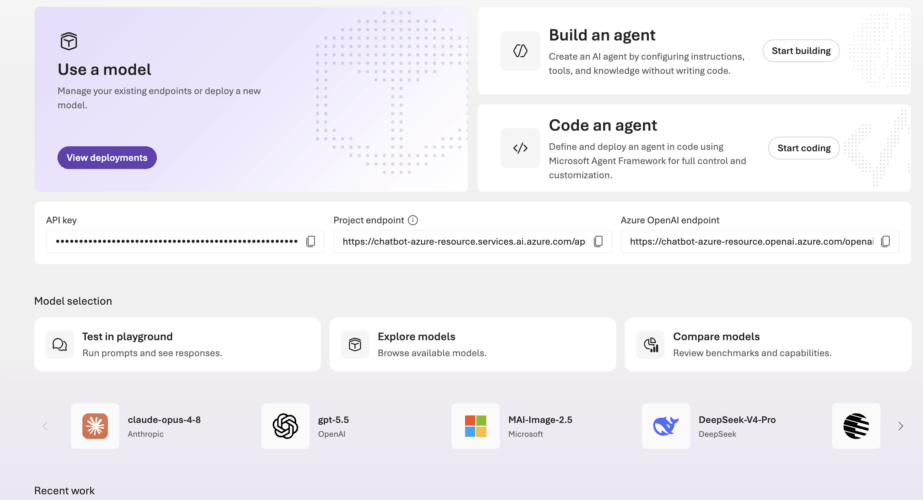
Prompt Agent - you configure everything in the portal: instructions, tools, and knowledge.
Hosted Agent - your own Python code runs as a container inside Foundry.
Which one should you pick? Here is the short version:
Prompt Agent | Hosted Agent | |
When to use | Quick assistants, internal Q&A, and prototypes - when no custom code is needed. | When you need your own code: custom tools, libraries, RAG, or special logic. |
Advantages | No code; add knowledge, memory and tools in a few clicks; nothing to host; lowest cost. | Full control; run your own code and libraries; custom tools and RAG; framework-agnostic. |
Disadvantages | You cannot run your own code or libraries; limited to portal options. | A container to run and a deploy step; a small fixed add-on cost; a brief cold start on the first message. |
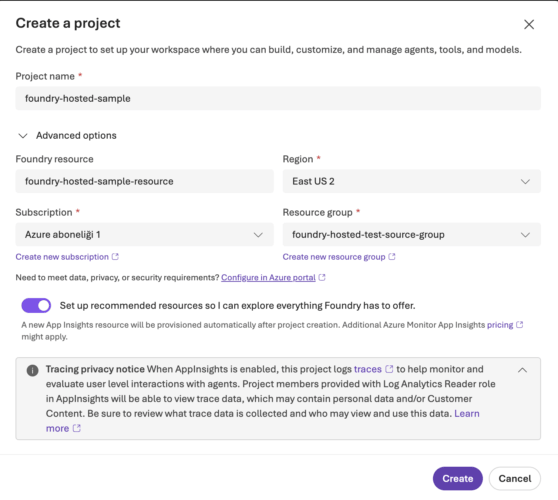
Before building any agent, you create a project - the workspace that holds your agents, models, tools, and knowledge. Give it a name and, under advanced options, choose the region. We picked East US 2, since hosted agents are region-limited and not available everywhere.
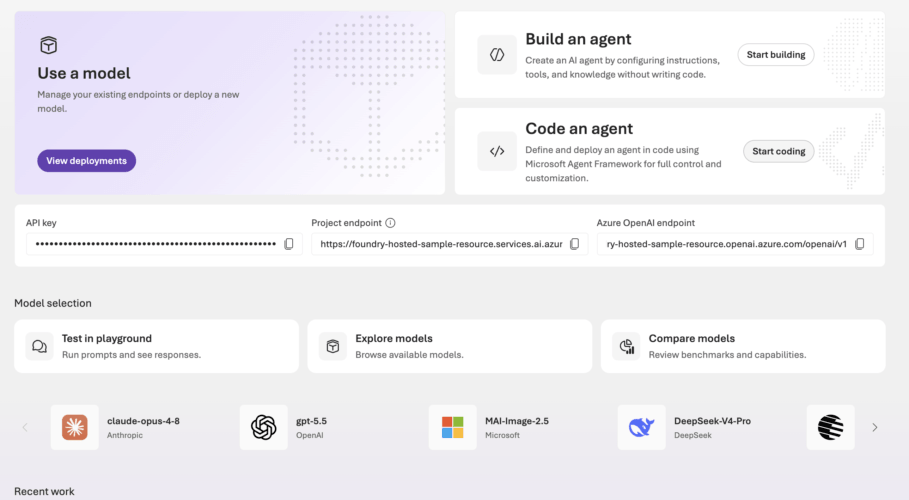
Once the project is created, its home screen gives you the two paths - Build an agent and Code an agent - along with the project endpoint and model selection.
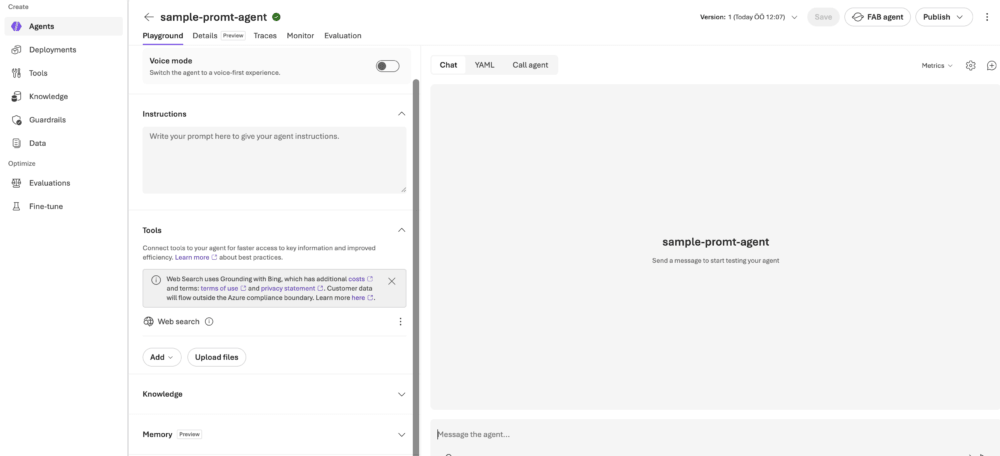
You can configure everything through the portal.
Here you write code and deploy it as a container. Foundry handles the hosting; you use the Azure Developer CLI (azd).
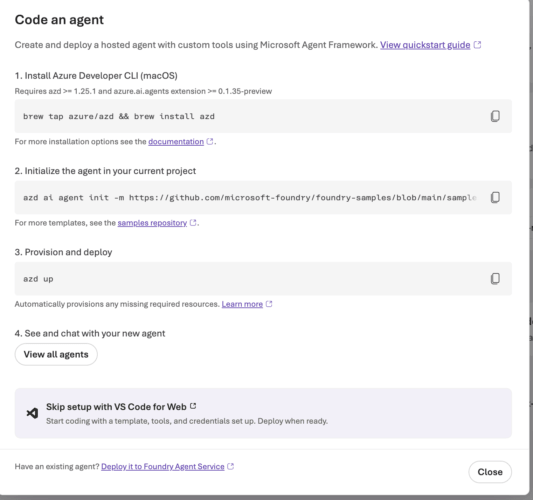
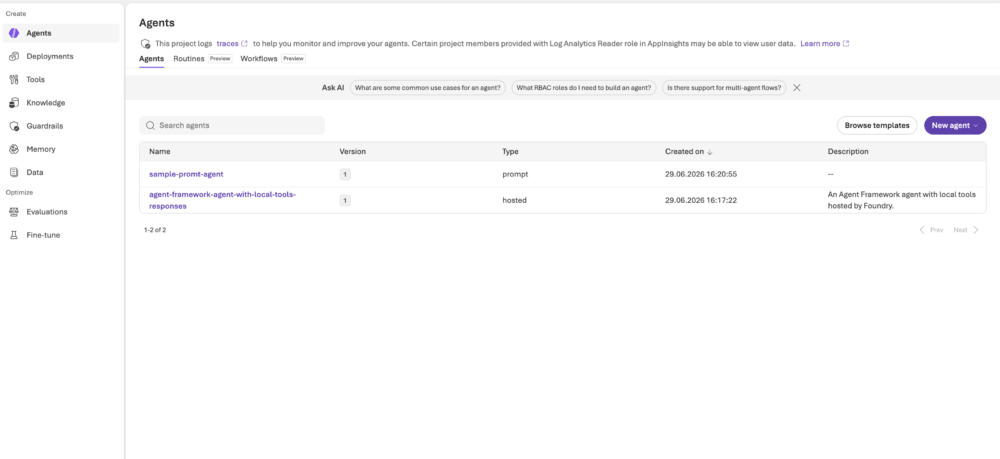
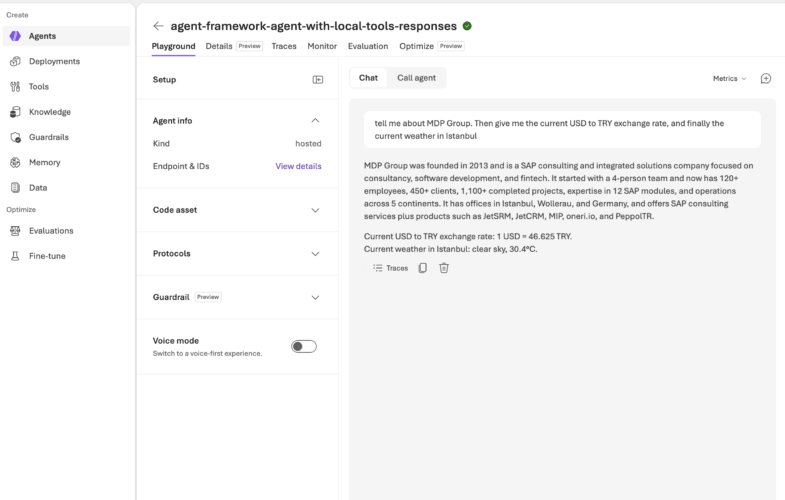
Here is a sample hosted agent that combines RAG, custom tools, and memory - running on the gpt-5.4-mini model. A single user message can trigger several tools at once.
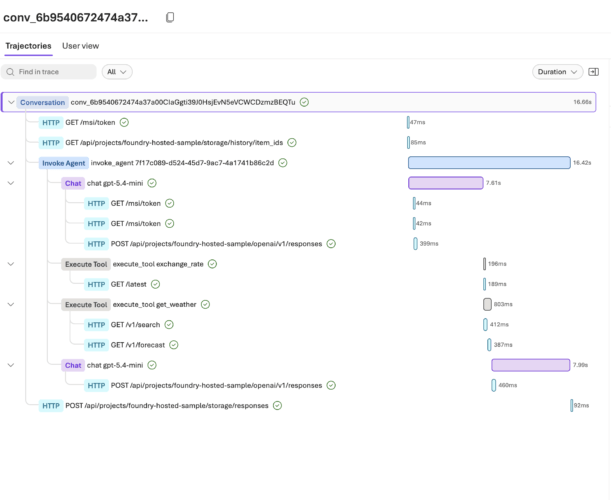
The trace shows exactly what ran: file search over the MDP document, exchange_rate, and get_weather each appear as a separate step before the model writes the final answer.
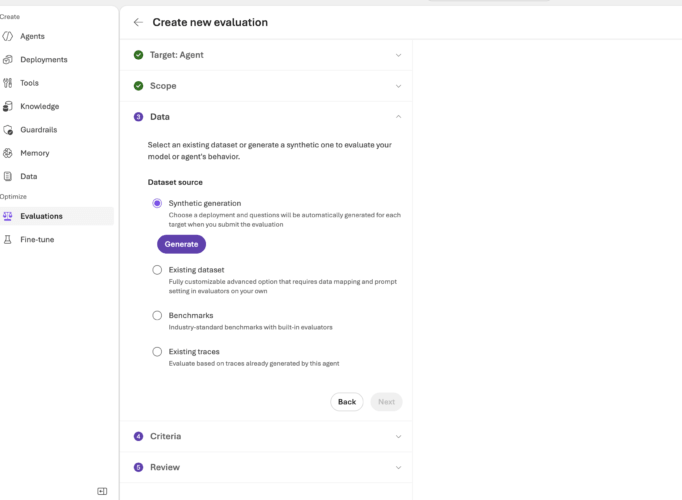
Foundry has a built-in Evaluations feature to test the agent automatically - quality, tool use, and safety - with no separate test harness. You pick the target agent, the test data (synthetic, an existing dataset, or real traces), and the evaluators; it then runs and reports a pass rate per metric.
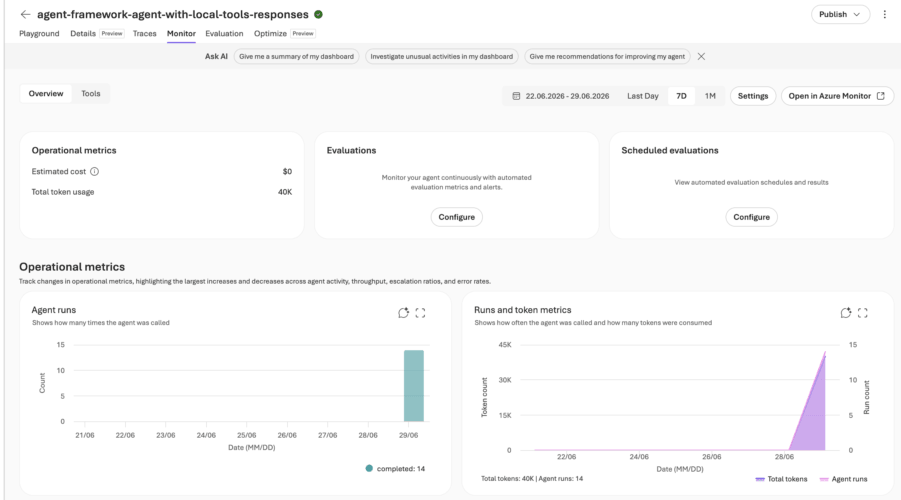
Every resource lives in an Azure resource group, the Monitor dashboard reports agent runs, token usage, and estimated cost out of the box.
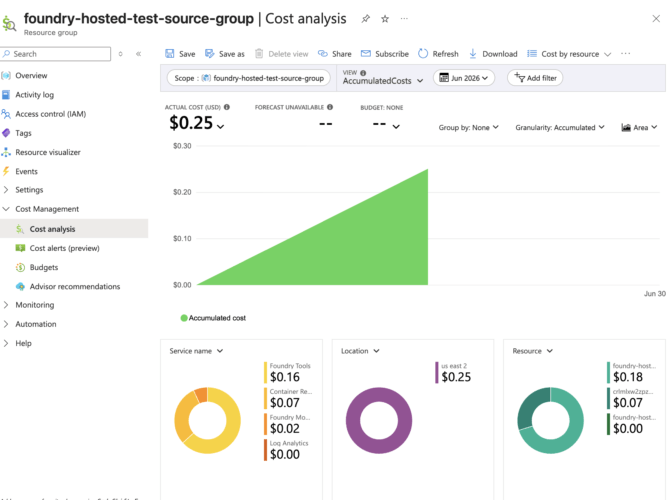
Azure Cost Management then breaks the spend down by service and resource - set a budget on the resource group to catch surprises early.
Microsoft Foundry makes building AI agents approachable from both ends. If you just need a quick assistant, a Prompt Agent gives you knowledge, memory, and tools in a few clicks. When you outgrow that and need your own code, custom tools, or tailored RAG, a Hosted Agent gives you full control on the same platform - with hosting, identity, evaluations, and cost tracking handled for you.

Data Scientist
Hıdır Bozkurt conducts R&D across various areas of data science, primarily focusing on NLP and computer vision.
Your mail has been sent successfully. You will be contacted as soon as possible.
Your message could not be delivered! Please try again later.