Hello All,Wishing you a Happy New Year.
Sometimes we need to look at more than one message log. As this number increases, the workload starts to increase. Therefore I created this tool and with this tool, you can download different versions of the messages between the two dates as you wish. After that, you can quickly find what you are looking for in the downloaded messages with any third-party software.
This tool works only for 7.4 and 7.5 versions. (for now)
Table of Contents
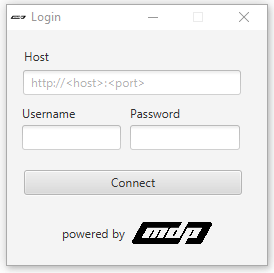
Host field should be: http(s)://:
If you have the right permissions, you can log in to the tool.
You need fill all blank fields.
If your integration has not a party, you must fill Receiver/Sender Party field with ” * “.
*This tool limited with 500 messages
You just can download the “Log version” of the message.
Supported Log Versions;
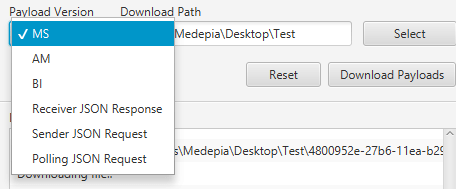
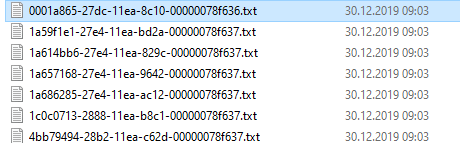
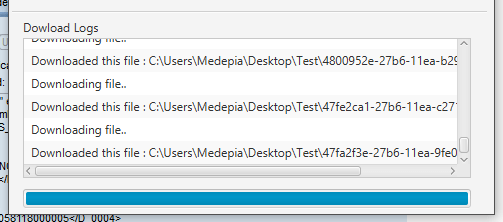
You can see logs when downloading files. The name of the downloaded file comes from the message-id of the message.
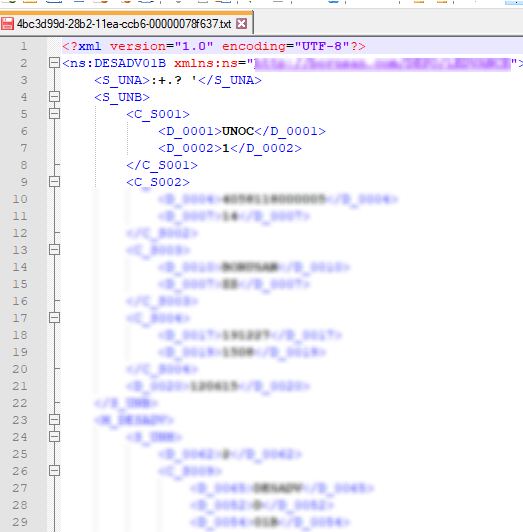
Example 1
MS step from Message Monitor;
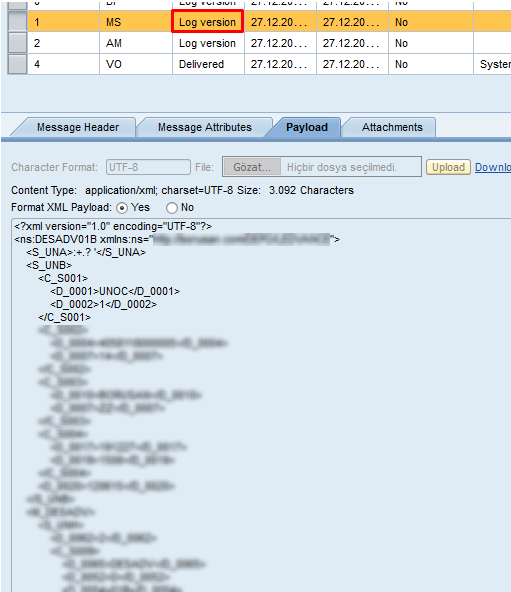
MS step from downloaded file;
Example 2
AM step from Message Monitor;
This tool can help you download multiple messages. I wanted to be user friendly when developing this tool. In the coming days, I’m thinking of making improvements and updating for this tool to work on versions 7.31 and below.
Contact us for information about our SAP PI/PO consultancy services.
You can find the JAR file on GitHub.

SAP PI/PO/CPI Consultant
How to Integrate SAP with MongoDB?
In this article, we will explain how to integrate SAP and MongoDB. But let's start by introducing SAP and MongoDB first.What is MongoDB?The database...
SAP Fiori Client Removed from App Stores: Now What?
SAP Fiori Client removed from Apple and Google App Stores in the second quarter of 2022. What does this mean for Fiori users? Will users who...
What is SAP MII?
Operational excellence is the key to business success. And at the heart of operational excellence is the real “thing”, Manufacturing Systems....
What is Task Interleaving?
Task interleaving is an advanced strategy to optimize internal warehouse movements. It can be used both in goods receipt and goods removal. It is...
Domain-driven Design Approach for SAP Integration
What is SAP Integration? SAP integration is the integration that takes place within SAP itself or between SAP and 3rd party systems. SAP Integration...
Picking in Alternative Units of Measure
Picking in Alternative Units of Measure (UOM) is a valuable feature in SAP Extended Warehouse Management (SAP EWM) that can help businesses...
How To Use Sort Rules For Warehouse Task in the Rf Screen
IMPLEMENTATION OF SORT RULES FOR WAREHOUSE TASK IN THE RF SCREEN. First, this implementation is valid for the RF screens which include confirmation...
What is IT Asset Management Software?
The ITAM - Quick GuideBusinesses today have more assets to manage than ever before, with the rise of IT assets used in the workplace. As employee...
Why Do Firms Use Electronic Data Interchange?
In the competitive business world that closely following technological developments have gained greater importance every day, the use of EDI has...
Your mail has been sent successfully. You will be contacted as soon as possible.
Your message could not be delivered! Please try again later.