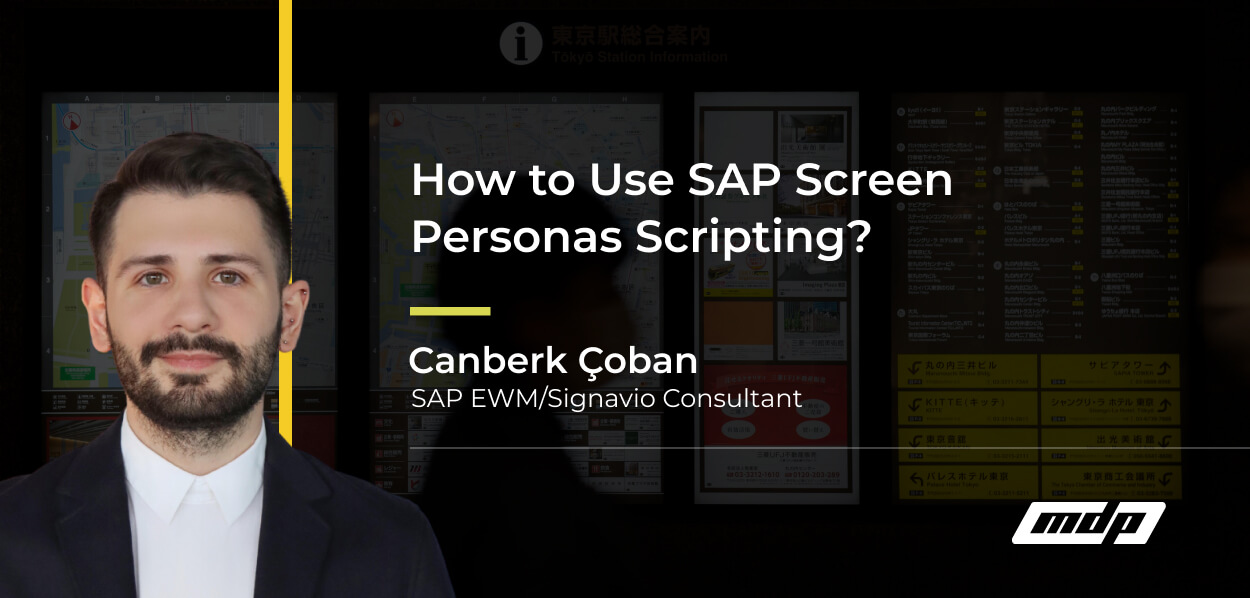
If you work with SAP, you’ve likely heard about SAP Screen Personas — the tool that allows you to simplify and customize SAP GUI screens for a better user experience. But one of its most powerful features often goes underutilized: scripting.
In this post, we’ll break down what Screen Personas scripting is, why it matters, and how you can leverage it to make your SAP environment more efficient.
SAP Screen Personas scripting enables organizations to automate repetitive SAP GUI tasks, streamline complex transaction flows, and reduce user errors without heavy ABAP development. By adding a lightweight automation layer directly on top of existing transactions, companies can improve efficiency, standardize workflows, and enhance overall usability within their SAP environment.
Screen Personas scripting allows you to automate repetitive tasks, manipulate screen elements dynamically, and create a seamless user flow. Think of it as adding a lightweight automation layer on top of your SAP GUI transactions — without requiring deep ABAP development.
Scripts can:
This means users spend less time navigating screens and more time focusing on their actual work.
Scripting is especially useful for organizations that:
With scripting, you can:
Screen Personas scripting uses a JavaScript-like syntax, so if you’re familiar with front-end development, you’ll feel at home. Scripts can be attached to:
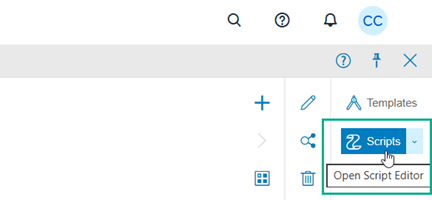
1. Open the Screen Personas Flavor editor and select the Scripts button.
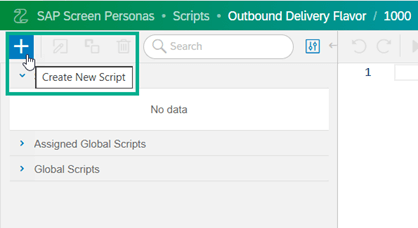
2. Click the Create New Script button
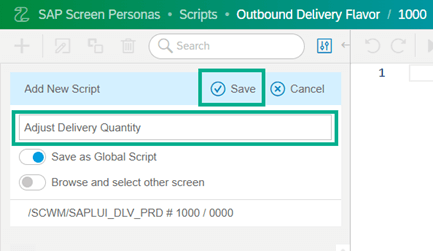
3. Give a name to the script and press the Save button
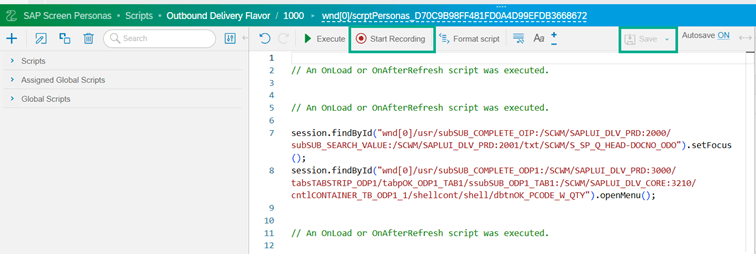
4. Click the Start Recording button and follow the steps that you want to script. Click the Stop Recording button to finish the recording, and then click the Save button to save the changes.
5. From the Flavor editor, select Insert settings and click the Script Button.

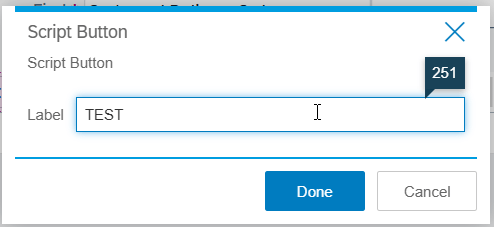
6. Give a name to the button.
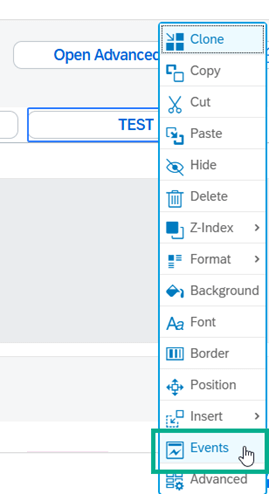
7. Right-click the open settings and click the Events
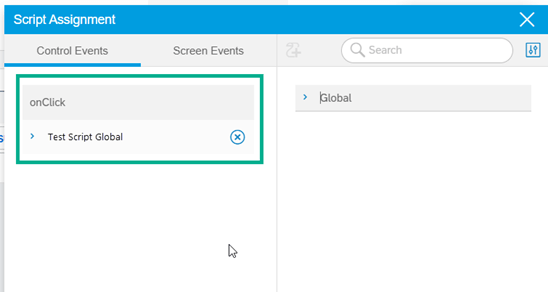
8. Drag and drop your script from the right side to assign to the button.
9. Test your script button.
If you’re looking to unlock the full potential of SAP Screen Personas in your organization, the MDP Group Logistics Team can help. Our experts specialize in customizing SAP screens, optimizing workflows, and implementing scripting solutions tailored to your business needs. Contact MDP Group today to start simplifying your SAP experience.

SAP EWM Consultant
Your mail has been sent successfully. You will be contacted as soon as possible.
Your message could not be delivered! Please try again later.