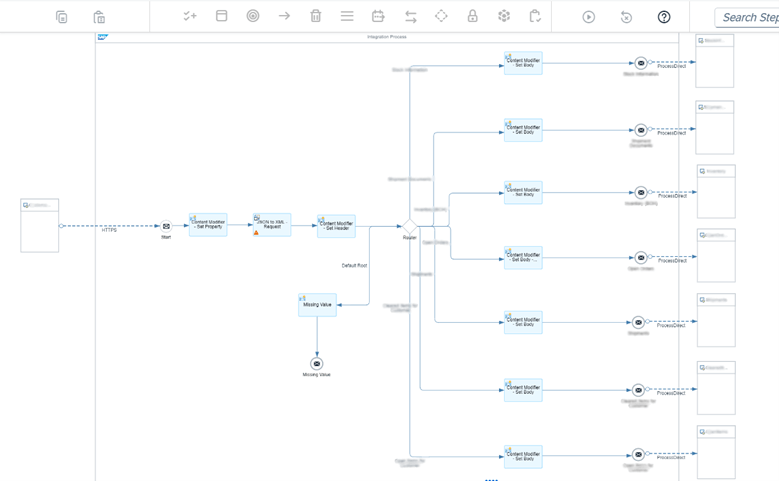
On the Integration Suite platform, it may be necessary to manage multiple integration processes simultaneously. In this article, we will cover the basics of how to achieve multi-process management. The following diagram illustrates an integration process where multiple processes can be managed using HTTPS Sender and Process Direct Sender. One of the most critical elements of this process is the use of a Router.
The primary purpose of using the Process Direct adapter in business processes is to enable fast and efficient communication between integration flows (i-flows) within the same tenant. This adapter optimizes data exchange between processes by reducing network latency and load. Additionally, it provides access to multiple processes through a single interface, making integration flows more structured and manageable. As a result, it ensures a direct and seamless connection between systems, enhancing overall integration performance.
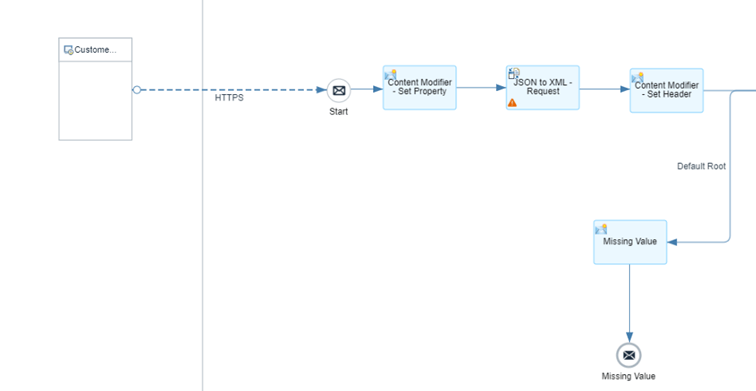
A function that configures the necessary HTTPS settings to call the desired process.
A function that transforms and customizes incoming data into the required format.
Converts incoming JSON data into XML format.
If the Router does not find the required data, it needs a default route to follow. For example, this Default Route can be configured to return an error message when the desired process is not found.
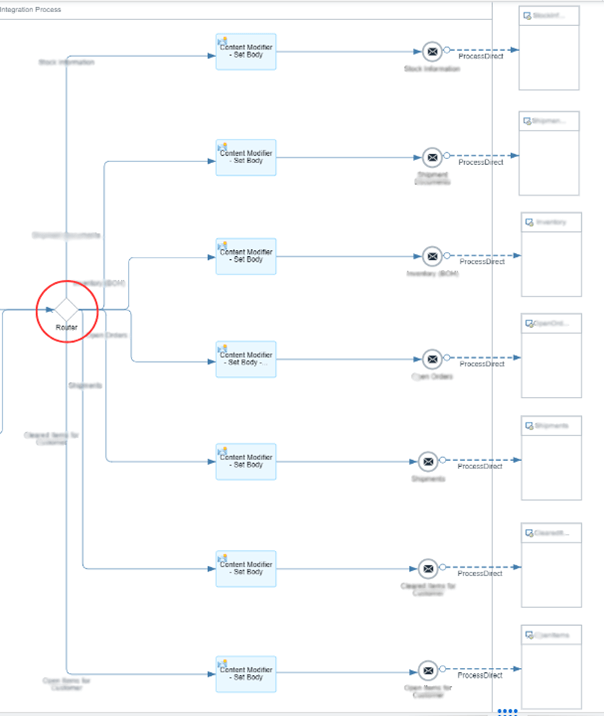
The Router function directs messages to different receivers or interfaces based on predefined conditions at runtime. As shown in the diagram above, the Router enables connections to seven different processes.

The Process Direct Receiver is a function that allows sending and receiving data between different integration flows. At this step, the address of the target IFlow should be specified
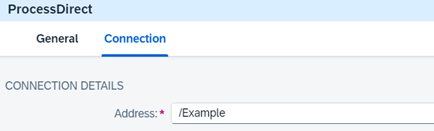
In conclusion, after creating the IFlow that manages all processes, the integration is completed by configuring the Process Direct (multiple Iflows) settings on other processes.
With MDP Group SAP Integration Suite Consultancy, you can find solutions to all your integration needs. Contact us for detailed information.

Sap Integration Consultant
Your mail has been sent successfully. You will be contacted as soon as possible.
Your message could not be delivered! Please try again later.