“Reduce the complexity of connecting to Azure.”
Adoption of cloud-based IT solutions such as Microsoft’s Azure continues to grow due to the agile nature of serverless computing, promoting innovation and enabling faster development to deployment.
The Infrastructure-As-A-Service (IaaS) model allows for a pay as you go style solution that removes the need to make big upfront infrastructure investments.
The Azure adapter SAP PO solution from MDP Group simplifies integration between your existing SAP ERP system and the Azure platform, swiftly and securely. Whether you are working with Microsoft Graph API integration on SAP PO/CPI or need a dedicated Azure adapter, this guide covers everything you need to know.
Let’s take a look at some of the features before diving in to a quick demonstration of how to configure the MDP Azure adapter in SAP PI/PO.
This improves runtime greatly when there is an error while uploading big files.
How to Use the MDP SAP PO Azure Adapter
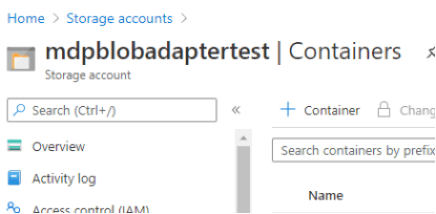
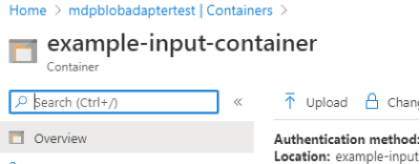
If you don’t already have a storage account with Azure, you’ll need to create one. So, do that, then after, create a container and upload a blob.
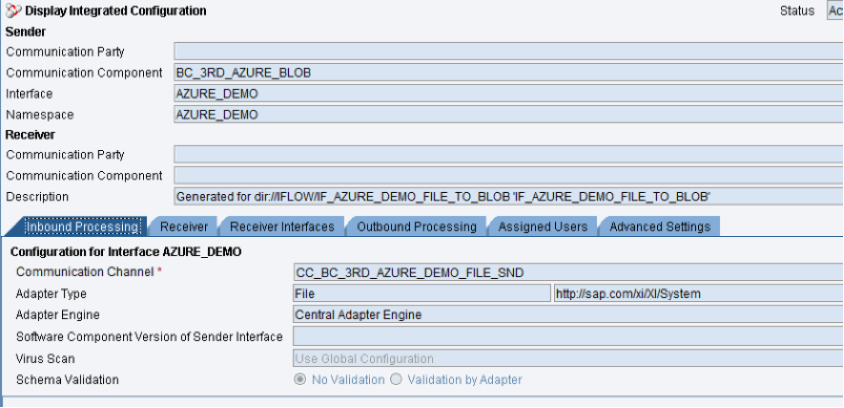
First off, we’ll create the integration.
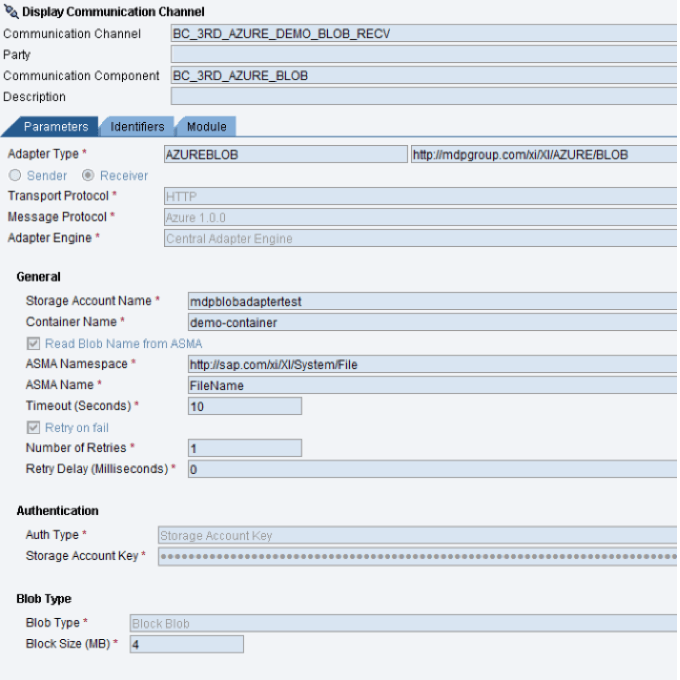
And then we need to configure the integration with the MDP SAP PO Azure Adapter.
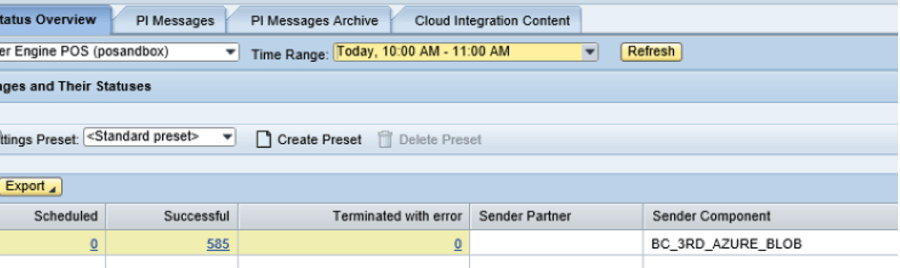
When that’s done, run the integration and view the results.
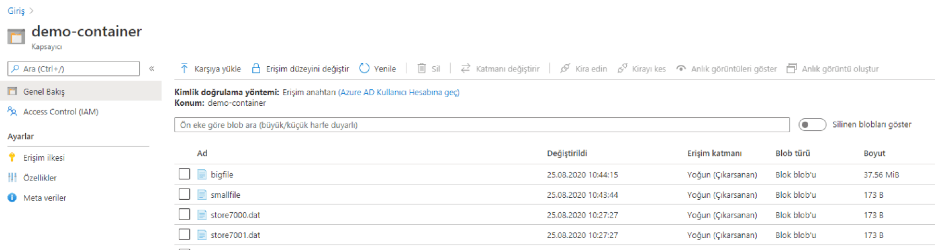
And here is a screenshot showing our blob has been successfully uploaded to Azure.
Connecting to Azure is that simple with the MDP SAP PO Azure Adapter.
Thanks for reading.
To learn more, give us a call or schedule an appointment.
SAP PI/PO is the backbone of enterprise integration for many organizations worldwide. As businesses accelerate their cloud migration, connecting SAP PI/PO to Microsoft Azure has become a top priority. The Azure adapter SAP PO from MDP Group bridges this gap without requiring complex middleware configurations or extensive custom development.
Microsoft Azure offers more than 200 cloud services, including Azure Blob Storage, Azure Service Bus, and Azure Data Factory. Integrating these services natively with SAP PI/PO via a dedicated adapter eliminates manual data transfers, reduces error rates, and speeds up end-to-end processing times considerably. For organizations exploring broader integration options, understanding the key Azure features is a helpful starting point before configuring adapter-level connectivity.
Security is a non-negotiable aspect of any enterprise integration. The MDP Azure adapter for SAP PI/PO supports two primary authentication methods. The first is storage account key authentication, which is the simplest approach and suitable for controlled internal environments where the key can be securely stored. The second is token-based authentication, which aligns with OAuth 2.0 standards and is recommended for production environments where access policies need fine-grained control.
Both methods integrate directly into the SAP PI/PO adapter configuration screen, meaning there is no need for external identity providers or additional tooling. Organizations that also work with Microsoft Graph API integration for SAP PO/CPI will find that token-based authentication aligns well across both solutions.
One of the most technically distinctive aspects of the MDP Azure Receiver Adapter is its block blob upload mechanism. Large file transfers are split into configurable block sizes before being uploaded to Azure Blob Storage. If a single block fails during upload, only that block is retried — not the entire file. This dramatically reduces network overhead and upload times when dealing with large datasets, EDI files, or batch payloads. In high-throughput scenarios, adjusting the block size parameter allows teams to fine-tune performance based on available bandwidth and file size distribution.
The MDP Azure adapter for SAP PO is compatible with SAP PI 7.5 and SAP Process Orchestration (PO) 7.5. It is designed for on-premise SAP installations that require connectivity to Microsoft Azure cloud services. For organizations already migrating to SAP Cloud Platform Integration (SAP CPI), separate adapter options are available within the SAP Integration Suite ecosystem.
Yes. Both the sender and receiver components of the MDP Azure adapter include proxy support. This is essential for enterprises that route outbound traffic through a corporate proxy server, ensuring that Azure connectivity adheres to existing network security policies without requiring firewall exceptions or additional routing rules.
The retry-on-fail feature is available in both the sender and receiver adapter. For block blob uploads, the retry mechanism targets individual failed blocks rather than restarting the entire upload process. This granular retry logic is critical when working with large files over unstable or high-latency network connections. Retry attempts, intervals, and maximum retry counts are all configurable within the adapter settings in SAP PI/PO.
Microsoft Azure Blob Storage — Official Documentation
Azure Storage Account Overview — Microsoft Learn
Microsoft Graph API Integration with SAP PO/CPI — MDP Group
5 Azure Features That Will Benefit Your Business — MDP Group

SAP PI/PO Consultant
Your mail has been sent successfully. You will be contacted as soon as possible.
Your message could not be delivered! Please try again later.